User Details
The Users details view provides and indepth view of a players account and allows operators to carryout various actions.
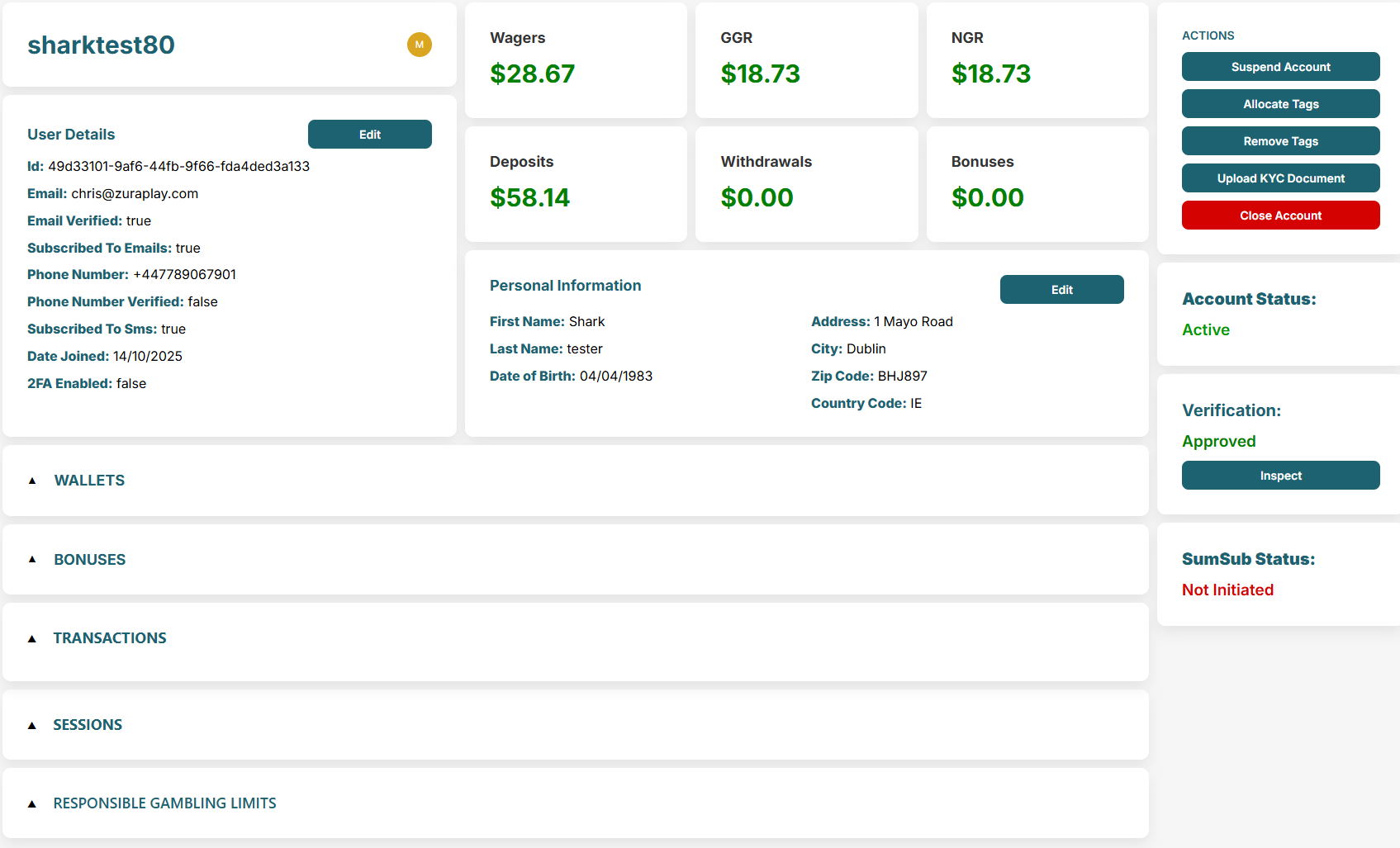
The top section shows the username and pertinent user information including contact information and preferences. There is a P&L view individual to the player and a personal intormation section.
Some fields in 'User Details' and 'Personal Information' can be edited, such as contact details, via the relevant 'Edit' buttons.
Actions Panel
The far right of the screen contains the actions panel which includes a view of account status, verification status (KYC) and SumSub status.
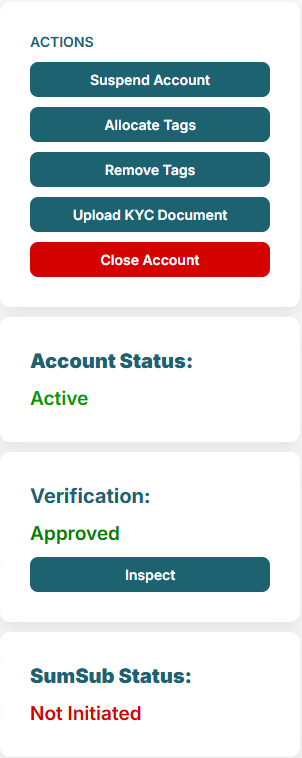
Figure 1: User Action Panel
Actions
- Suspend Account — temporarily suspend an account; can be unsuspended anytime.
- Allocate tags — assign tags to users (see Users Page).
- Remove tags — remove tags from users (see Users Page).
- Upload KYC — manually upload docs when required instead of SumSub.
- Close Account — permanently close an account; cannot be undone.
Closing a player’s account is an irreversible action.
Account Statuses
- REGISTRATION_NOT_COMPLETE
- ACTIVE_NOT_VERIFIED
- ACTIVE
- SUSPENDED
- SELF_EXCLUDED
- CLOSED
Verification Statuses
- NOT_PROVIDED
- PENDING
- VERIFIED
- DECLINED
SumSub Statuses
- NOT_INITIATED
- GREEN
- RED_FINAL
- RED_RETRY
Wallets
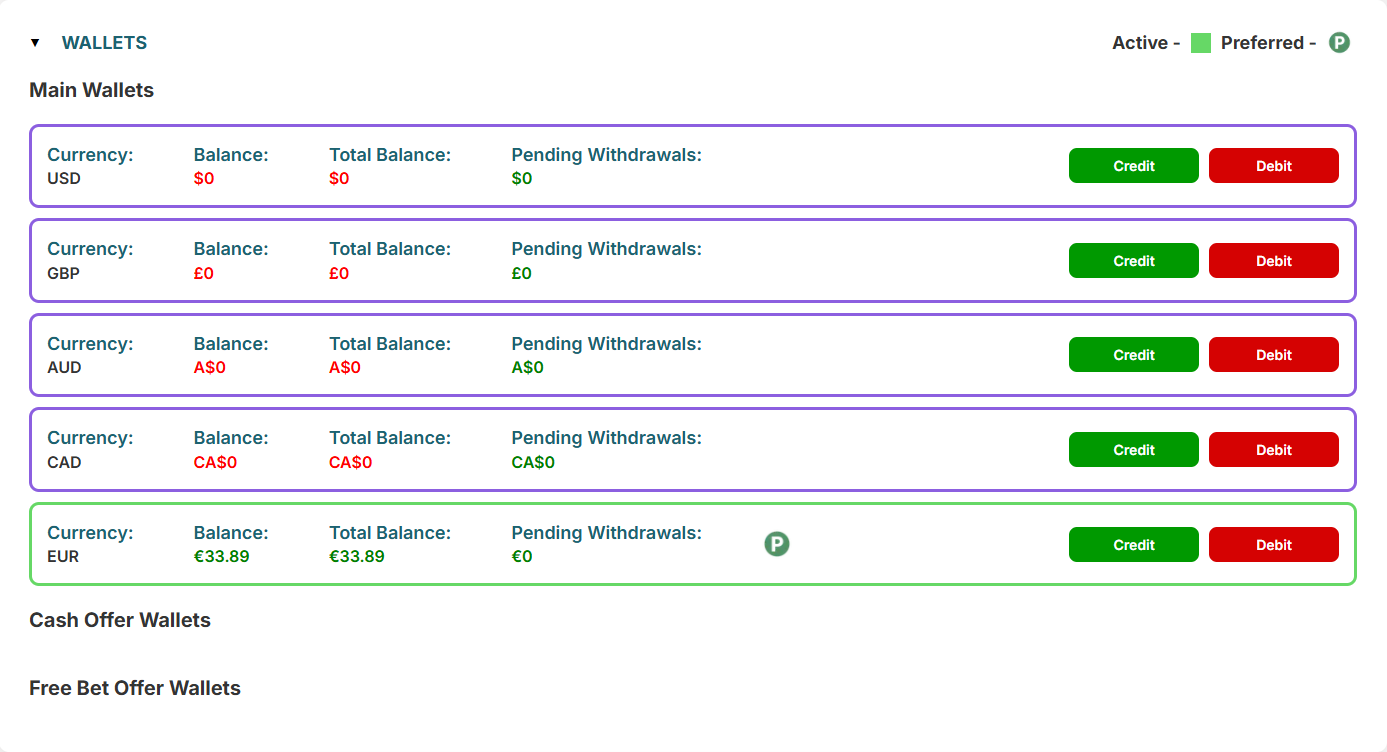
We support multiple currency wallets, these can be credited/debited from this view in case of a need for balance corrections. A players active wallet and preferred currency (stated at sign up) is indicated by the key in the top right. All bonus wallets will also appear in this sections if a player has any.
Bonuses
A players bonuses can be viewed in the bonuses dropdown, expand each bonus for more detail.
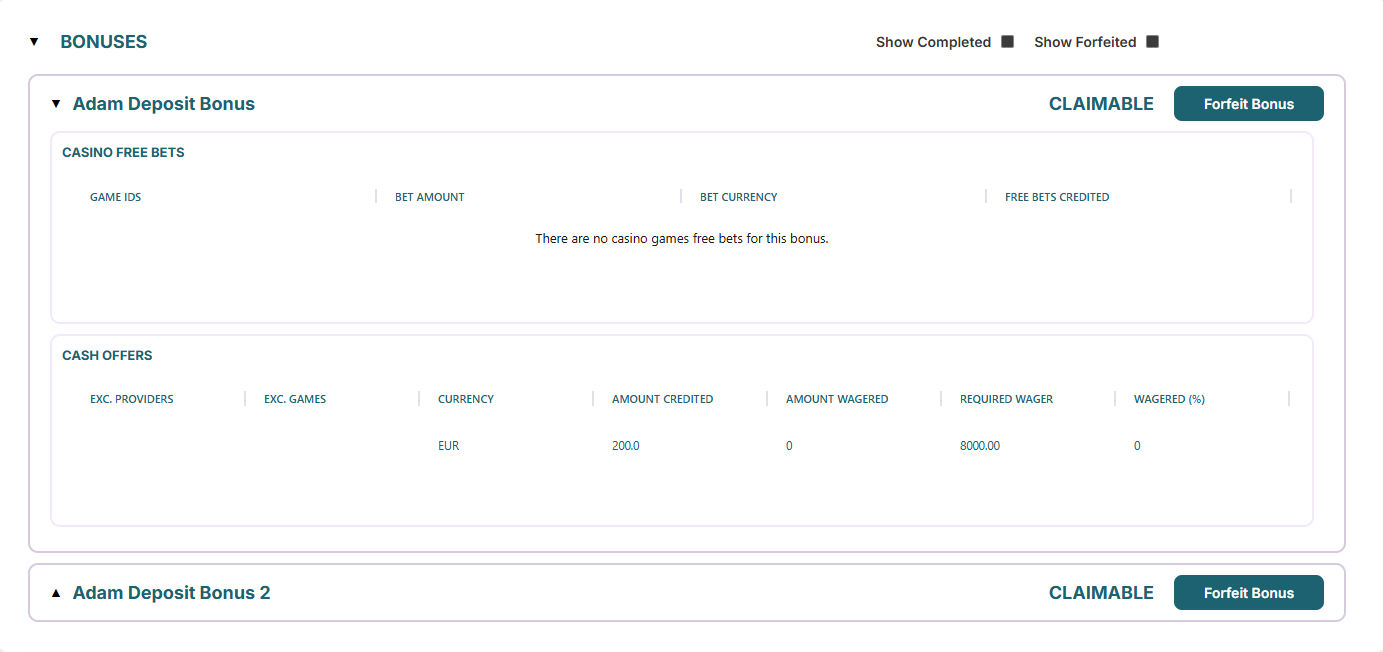
Use the checkboxes to see completed and forfeit bonuses for a full history.
Transactions
You can view all transactions relevant to the player in the 'Transactions' section.
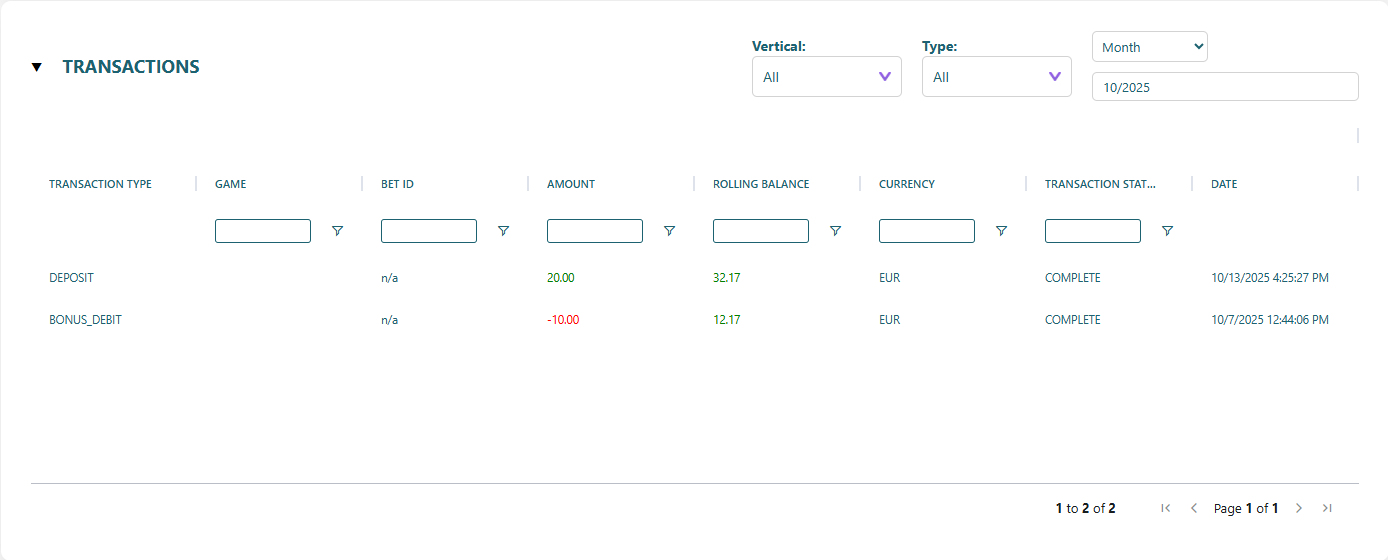
Use the filters to refine your search by vertical, transaction type and time period.
Sessions
All active sessions for the user can be seen in the 'Sessions' section. This includes session ID, IP, Device, Country.
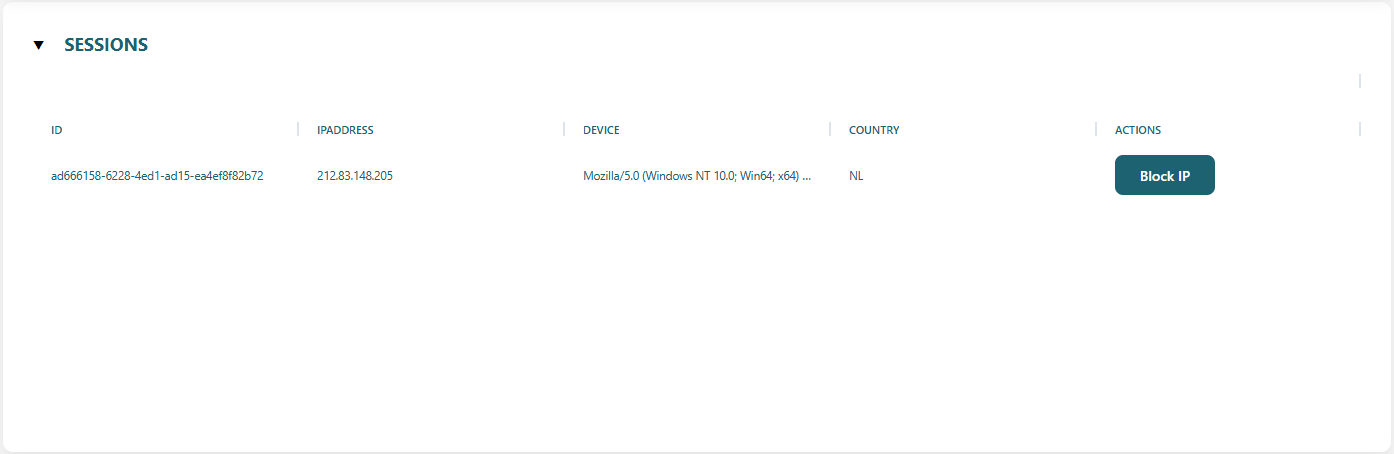
In the event of suspicious activity an IP address can be blocked from here.
Responsible Gambling Limits
The responsible gambling limits set by a player can be viewed here.
